

Aloha PLB Ohana,
In part one, I shared ten things my AI does inside my business that nobody sees. My Daily Pulse, the memory of every correction, the call notes that turn straight into action, and the guardrails that keep it all honest.
This post is the other half: the things my AI builds.
And there's a bigger story sitting underneath this list.
Over the last few months I've been slowly moving my business off software I rent and onto systems I build myself. I still use GoHighLevel for payments, invoicing and email. But more and more of the client experience (the portal my clients log into, the reports they get, the proposals they read) now runs on things we built.
Every piece I move over gets me a little closer to being 100% AI-Native.
And I'm not a developer. I build all of it the same way I described in part one… by talking to my AI and telling it what I want.
But here's what I want you to pay attention to:
Almost everything on this list, I built for my own business first. Only once it worked for me did we build a version of it for a client.
That's on purpose. I don't want to sell anyone a system I haven't run in my own business, mistakes and all.
Below are ten things my AI builds. Some are for us, and some are for our clients.
10 things AI builds
1. Our client portal.
Our client portal just got a new name: Perfect Little Business HQ.
It's where our clients can strategize their business and do the foundational work with AI. Who they serve, what they believe, how their brand sounds. That foundation becomes the instructions their own AI reads every time it works for them, so everything it drafts afterward sounds like them and not like a robot.
From there, they can turn their own thinking into content, and see how the AI engines are answering the questions their buyers ask.
How this shows up daily: when a client wants my eyes on something, they record a quick video or voice note right inside the portal, and I get a ping in Slack. I used to pay for a VideoAsk subscription to do this, and now it's something we built and own.
Next, we're rebuilding HQ so each client's business plan sits at the center of it. I'm testing that version on my own account first (of course).
2. Apps for our clients.
Once HQ was working for us, we built a version of the idea for a client.
They run a coaching company, and their team used to keep their marketing numbers in a dashboard they updated by hand every month. Now they have a member app with a dashboard for their coaches, and their email numbers come straight from their email platform. Nobody types them in anymore.
It's still on a test site while the team tries it out, and their LinkedIn numbers still come from a spreadsheet for now. (Honest progress report.)
If you've ever paid a developer to build you a custom dashboard, you know what this would have cost a few years ago.
3. A directory business of my own.
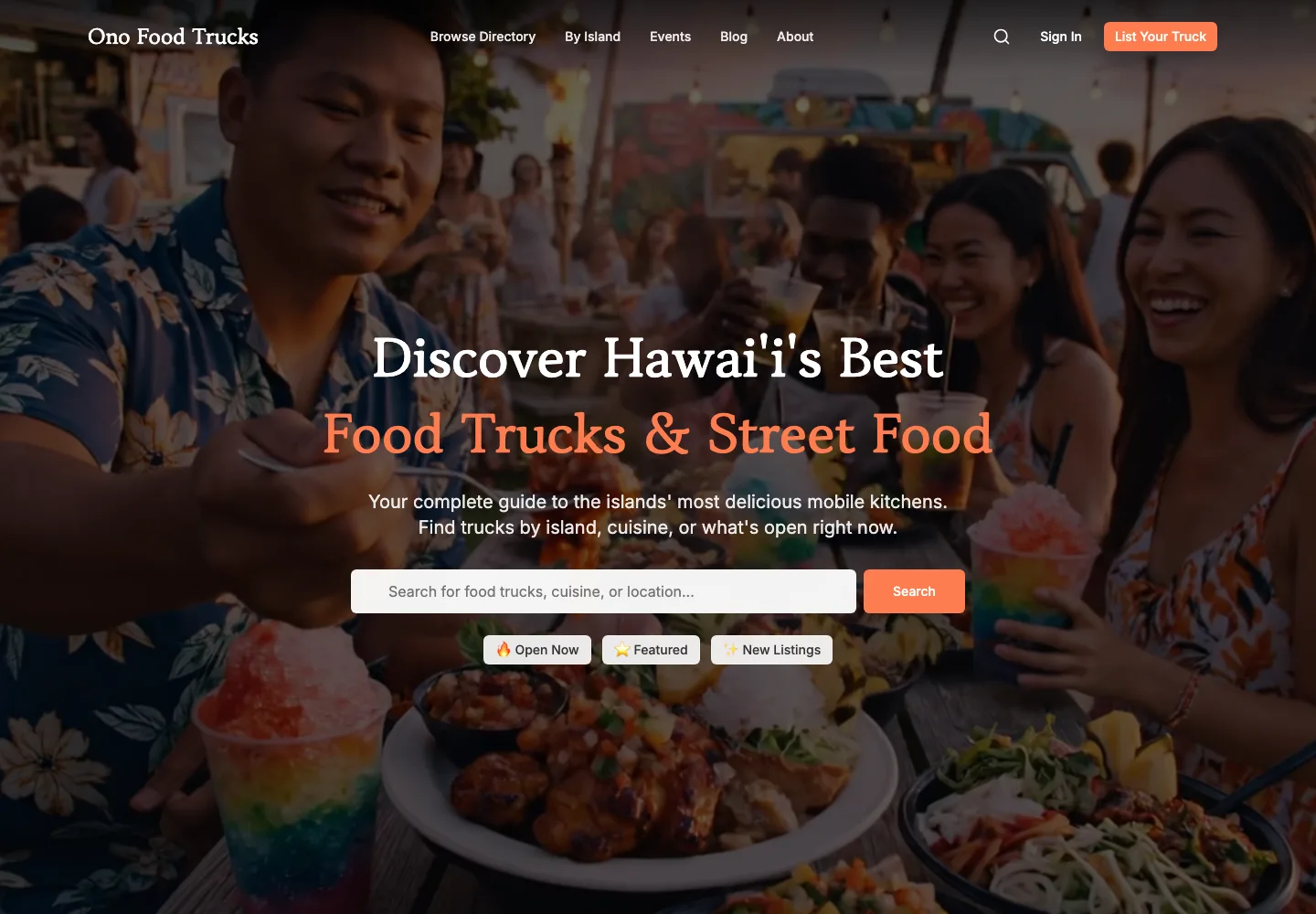
Here in Hawaiʻi I built a food truck directory. AI scouted about 300 trucks across the islands, and about 250 of them have free listings live on Oʻahu.
Truck owners can claim their listing, update their details and post where they're parked right now. The site rebuilds itself every night from the latest information, so it's never more than a day out of date.
It even has its own Daily Pulse, separate from mine. Every morning the AI looks at where the food truck business stands and sends me a short update in Slack.
4. Websites.
Our client websites are built with AI from a starter system we designed, and my co-founder Tiffany takes each one from design to launch.
The layout rules from our own website are built right into it. If a page's spacing or font sizes drift off the system, the build stops and says so. That way every site holds the same standard, no matter who's building it.
The launch steps (the domain, search, analytics, the handover) live in a checklist the AI keeps its place in, so a launch can pick up days later exactly where it stopped.
And at launch, the site moves onto the client's own accounts. They own it.
5. Websites the AI engines can read.
This is the heart of what we do. We build clients a directory of answers to the real questions their buyers ask, structured so ChatGPT, Google and the rest can read it and recommend them.
The rules are strict. New client builds won't publish a page that reads above an eighth-grade level, or one that sounds like a machine wrote it.
Here's an example of how strict: every answer has to open by restating the question it answers, so any answer can be quoted on its own. I corrected my AI on that three times, across three different builds, before it became a rule. Now a check reads all 1,160 answers on our own Playbook and flags the ones that don't.
(Remember number four in part one? This is what "I only ever have to say something once" looks like when it finally sticks.)
How this shows up daily: Tiffany runs these builds from a library of step-by-step guides, and those guides are twins of the instructions the AI follows. When one changes, the other changes with it, so the person and the AI are working from the same playbook.
When we launched vibecodeyourleads.com, it got its first organic lead within 24 hours. And a roofing client's resource center now has 92 answer pages live, including a batch we built from the owner's own voice memos.
6. A support desk for GHL.
I used to pay $100/mo for a subpar knowledge base and support desk for my HighLevel clients. I also used to pay a subcontractor on a per-project basis to onboard new clients into the platform. I pay for neither of those things now, because I’ve built my own AI-powered support desk for my clients.
The app is trained on the complete knowledge base and even has “recipes” for the common types of workflows I help my clients with. It also onboards new clients and is way better than any of the previous systems I used to have to pay for.
7. Demo pages, built during sales calls.
When I meet with a business owner who hasn’t heard of the term “vibe coding,” it can be hard for that person to conceptualize what I mean when I say we can just “speak their new website into existence.”
So instead of explaining what it is, I show them. Live. On a call. Using a pre-made skill that makes a demo page quick and easy to whip up.
Showing does more than any explanation I could give.
8. Proposals that are their own web pages.
Remember number eight in part one, where my calls turn straight into action? When a sales call goes well, I process the call the same way, and the proposal gets built from what we talked about on the call.
For our directory work, that proposal arrives as a private web page built for that one business, instead of a PDF attachment.
It opens with an honest read of where they stand, including a screenshot of their current homepage. Then a map of their own directory, drawn from their real topics, so they can see what we'd build before they say yes. Then the options side by side, and what we'd need from them, which is deliberately small.
9. Monthly reports for clients.
For clients on our monthly management plan, my AI drafts a report on the first of every month: their visitors and the pages people read, pulled from real analytics. I review it, approve it and send it, and it's also saved on the client's own dashboard.
The first one went out in early October, to a roofing client. Starting next month, it'll also count how many people tapped to call or book.
10. An always-on agent I can text.
In a recent newsletter I mentioned I was setting up a Mac Studio so I could have AI agents running around the clock.
It's running now. I can send it a text message from my phone, and it texts me back. (Getting there took more troubleshooting than I'd like to admit.)
Honestly, I'm still working out its job. Right now it can read my projects and write notes into my business hub, and I'm shaping it into something like a chief of staff.
This one is the frontier for me. Like everything in part one, I'll figure it out by rubbing two sticks together.
What these ten have in common

Go back through that list and notice what's underneath each one.
Every one of them runs on the system from part one: my learnings, my judgment, my decisions and my boundaries, written down where my AI can use them.
That's how someone who isn't a developer ends up with a client portal, apps and websites. And it's how my AI can build without me standing over it.
It's also why a client's version doesn't start from scratch. By the time we build it for you, I've already made the mistakes in my own business.
Quick Win: Find the first thing you should build
If this post got your wheels turning, the next question is usually “okay, but what should I build first?”
You only need one to start, and here’s a simple way to find it.
Grab a notebook and answer three questions:
- What am I paying for every month that only does one small job for me? For me, that was VideoAsk. If your answer is software your clients log into or send you things through, your first build might be a client portal.
- What do I (or my team) still do by hand, every week or every month? For my client, that was typing their marketing numbers into a dashboard every month. If your answer is copying, updating or reporting, your first build might be an app or a report that does it for you.
- What do my prospects ask me, over and over, before they buy? If you’ve answered the same five questions on fifty discovery calls, your first build might be an Authority Directory™: those answers, written down in a way the AI engines can read, so they can recommend you.
Circle the one that would give you back the most hours, or bring in the most business. That’s your first build.
And if your answer is something else entirely (a proposal page, a monthly client report, a booking flow), that’s fine too. The point is to pick one.
Then build it for your own business before you build it for anyone else. Open a session with your AI and do what I said in part one… just tell it what you want.
Work with us
If you'd like us to build the system underneath for your business, and then the things on top of it, book a call. I'll bring your AI Visibility Report to the call, so we start with what the AI engines already see.
I'd love to know which of these ten you'd build first. Leave a comment below; every one comes to me first.
Mahalo for being here.
Cindy
Keep the conversation going
What’s on your mind?
I’d love to hear what this brought up for you.
Loading comments…